
The GLP-1 Shot Tracker App That Brings Your Record to Every Appointment
Every logged shot, ready to share with your prescriber: your full history becomes a PDF report in a few taps.


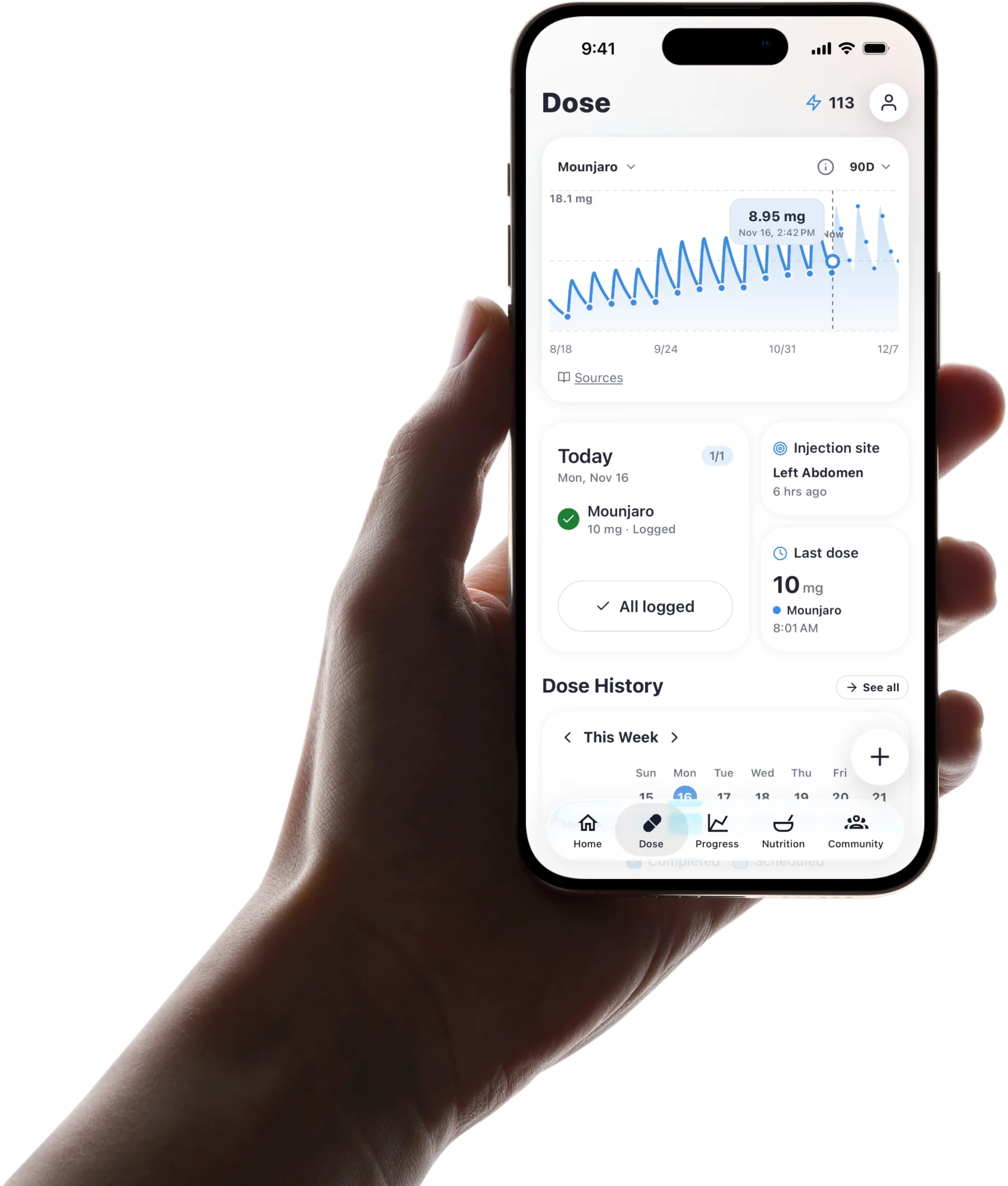
Published by Pep AI · GLP-1 shot tracker app · Updated November 2026
Pep AI saves each shot with its date, the dose your prescriber set and the injection site, and keeps the side effects you log in the same app. When an appointment comes up, your full history becomes a PDF report in a few taps.
No notebook, no calendar screenshots, no retyping. Your prescriber sees the record, and the decisions stay with them.
Pep AI is free to try: a free download with a 3-day free trial, then a subscription for tracking. Pep AI is rated 4.7 stars from 3,900+ ratings on the US App Store. It has passed 200,000+ downloads on iPhone and Android.
What Your PDF Report Contains
Before you share a report, it helps to know exactly what your prescriber will see. Nutrition from photos and menus is estimated, and Pep AI never suggests a dose.
A Summary Up Front
Pep AI opens the report with a summary of your record, so your prescriber gets the overview before the detail. It covers your full history, from your first entry to today.
There is no date range to set and nothing to assemble by hand. The report always reflects everything you have logged.
Every Logged Dose
Each dose appears with its date, the dose as you entered it, the route and the injection site. The route shows whether each dose was a shot or a pill.
Your prescriber can see exactly what you took and when. Pep AI never suggests or changes a dose.
Your Weight History
Weight gets its own section, so the trend is easy to read next to your doses. Every weight you log builds that history.
It turns a single number on the scale into a direction over months. One hard week stops feeling like the whole story.
Daily Nutrition, Hydration and Sleep Totals
The report adds daily totals for nutrition, hydration and sleep from what you logged in Pep AI. Nutrition from photos and menus is estimated.
Those totals give context to a rough stretch or a good one. Your prescriber decides what they mean for your treatment.
Look Back Over Weeks and Months
Scroll Back to Any Week
Your dose history runs back to your first logged shot, with the date, dose and site of each one. Nobody has to rely on memory.
Questions like when did I step up, or how did that first month go, have a real answer. It is in the record you already keep.
Step-Ups in Context
Your dose history shows the dose of every shot, so a step-up is easy to find. On the Dose tab, a Side Effects trend chart sits next to an estimated medication-level chart.
The medication-level chart is built for weekly shots. It is an estimate from your logged doses and published half-lives, not a lab value.
Weight Trend in the Same App
Pep AI keeps your weight trend and progress photos in the same app as your shot history. The trend reads as a direction over months.
Progress photos add what the scale misses. You can look back at them any time.
Why a Written Record Beats Memory
Fifty Shots a Year Blur Together
A weekly GLP-1 adds up to about fifty shots a year, and each one feels like the last. By the time you see your prescriber, the details have faded.
A dated record keeps every one of them distinct. Pep AI holds it for you.
Notes and Calendars Miss the Context
A calendar knows a shot was due, and a notes app knows what you typed. Neither keeps the symptoms, meals and weight that followed.
Pep AI keeps all of it in one app. It replaces the notes app, the calendar and the spreadsheet.
In a User's Own Words
“Since I’ve been using this app, I don’t have to write anything down in a calendar or reminder in a phone.” That is how one Pep AI user described the change in an App Store review.
Pep AI is rated 4.7 stars from 3,900+ ratings on the US App Store. It has passed 200,000+ downloads on iPhone and Android.
Moments When Your Shot History Matters
When You See a New Clinician
A new prescriber starts with none of your history. Your report gives them every logged dose since your first shot.
There is no need to reconstruct months from memory. The record speaks for itself.
After a Rough Week
Scroll back and check what changed: a new step-up, a late shot or a different week of meals. Pep AI keeps those in one app.
A pattern is worth mentioning to your prescriber. Pep AI keeps the record and leaves the meaning to them.
When Your Prescriber Changes Your Medication
If you switch from one GLP-1 to another, your earlier shots stay in the history. The new medication starts its own schedule and history.
You keep a full record across the change. Your next report shows both.
When a Refill Is Due
Pep AI keeps a supply count from what you enter. A glance shows when you are getting low.
Your GLP-1, on iPhone and Android
Shots and Pills in One Report
Ozempic®, Wegovy®, Mounjaro®, Zepbound® and Trulicity® shots go into the same history in Pep AI, as do daily shots like Saxenda® and Victoza® and pills like Rybelsus® and Foundayo™. Each medication keeps its own schedule and history.
Pep AI is not affiliated with or endorsed by Novo Nordisk or Eli Lilly. Brand names are trademarks of their respective owners. The labels for these medicines carry a boxed warning about the risk of thyroid C-cell tumors. Read the full label that comes with your medication.
Both Phones
Pep AI is on the App Store and Google Play with the same shot history and PDF reports on both. On iPhone, widgets and an Apple Watch app are there too.
Pick the phone you already use. Setup takes a few minutes.
Health Sync for Weight
Weight and steps can sync with Apple Health on iPhone or Health Connect on Android. Your weight history stays current without extra typing.
Synced or typed, the weight lands in the same history. Your weight trend stays in one place.
Entries, Reminders and Rotation Have Their Own Pages
This page is about sharing your record. What each entry holds, reminders, site rotation and side effects each have a page of their own.
What Each Shot Entry Keeps
Each shot entry keeps its date, dose and site. Everything an entry holds is explained on the injection tracker app page.
Shot-Day Reminders and Scheduling
Weekly, daily and custom shot reminders, the overdue flag and skip options are covered on the GLP-1 injection tracker page. Every shot you log is added to your history, whether you log it in the app (tapping the reminder takes you straight there) or, on iPhone, from the Lock Screen, a widget or your Apple Watch.
Set the schedule once and every logged shot lands in your report. Both live in the same Pep AI account.
Body-Map Site Rotation
Site rotation on the body map, with your last and recent sites, is explained on the injection site tracker page. The sites you log appear in your dose history and your report.
Logging a shot records the site at the same time. Nothing is entered twice.
Symptoms in Detail
For the full side effect log, see the GLP-1 side effect tracker page. Every entry there is in the same app as your shots.
Log side effects from a built-in list of GLP-1 symptoms grouped by body area, or add your own, each with a severity. They are saved by day in the same app as your shots.
Your shot record, ready to share
Pep AI keeps the record and builds the report. Your prescriber makes the decisions.
PDF report
Your full history, from your first entry to today: a summary, every dose and site, weight and daily totals.
Every logged dose
Date, dose as your prescriber set it, route and injection site, for shots and pills alike.
Email it or show it
Send the report ahead of an appointment, or open it on your phone in the room.
Dose history
Scroll back to your first logged shot, so a step-up or a rough month is easy to find.
Weight in the same app
Your weight trend and progress photos sit beside your shot history, synced from Apple Health or Health Connect.
No dose advice
Pep AI never suggests, calculates or changes a dose. That stays with your prescriber.
Frequently asked questions
How Far Back Does My Shot History Go?+
Your Pep AI history goes back to the first shot you logged, and it keeps growing as long as you track. Every entry keeps its date, dose and site, and the symptoms you logged around it show in the same app. You can scroll back through your dose history or create a PDF report of your full history. The history is there whenever you need to look back.
Can I Add Shots I Took Before I Started Using the App?+
Yes. Log earlier shots with their real dates and doses, and Pep AI places them in the right spot in your history. Adding a few past weeks gives your first report more context. Enter only what you are sure of.
What Does the PDF Report Include?+
The report covers your full history, including doses, injection sites, weight and daily nutrition totals. It is laid out so your prescriber can read it quickly. Share it by email or show it on your phone. It reflects what you logged and nothing more.
Does Pep AI Tell Me What Dose to Take?+
No. Pep AI records the dose and schedule your prescriber set, and it never suggests, calculates or changes a dose. For anything about your dose, including a late or missed shot, check your label and talk to your prescriber. Pep AI keeps the record that makes that conversation easier.
How Is This Different From a Calendar Reminder?+
A calendar reminder tells you a shot is due. A GLP-1 shot tracker app keeps what happened: the dose, the site, the symptoms and the weight trend around it. Pep AI does both: it reminds you on shot day and keeps the record. Our GLP-1 injection tracker page explains the reminders.
Does It Work for Pills as Well as Shots?+
Yes. Pep AI logs oral GLP-1s like Rybelsus® and Foundayo™ alongside shots, each with its own schedule and history. If your prescriber has you on both, everything stays in one account. Your report covers both.
Can I Try Pep AI Before Paying?+
Pep AI is free to try. It is a free download with a 3-day free trial, and tracking needs a paid subscription after the trial. Three days is enough to log a shot, add how you felt and create a sample report. Cancel at least 24 hours before the trial ends and you are not charged; the App Store or Google Play shows the exact date.
Start tracking smarter today.
Free to try on iPhone and Android.