
The Wegovy® Pill Tracker for Your Daily Morning Dose
A morning reminder, a log of each tablet with the time you took it, and every step-up in your dose history.


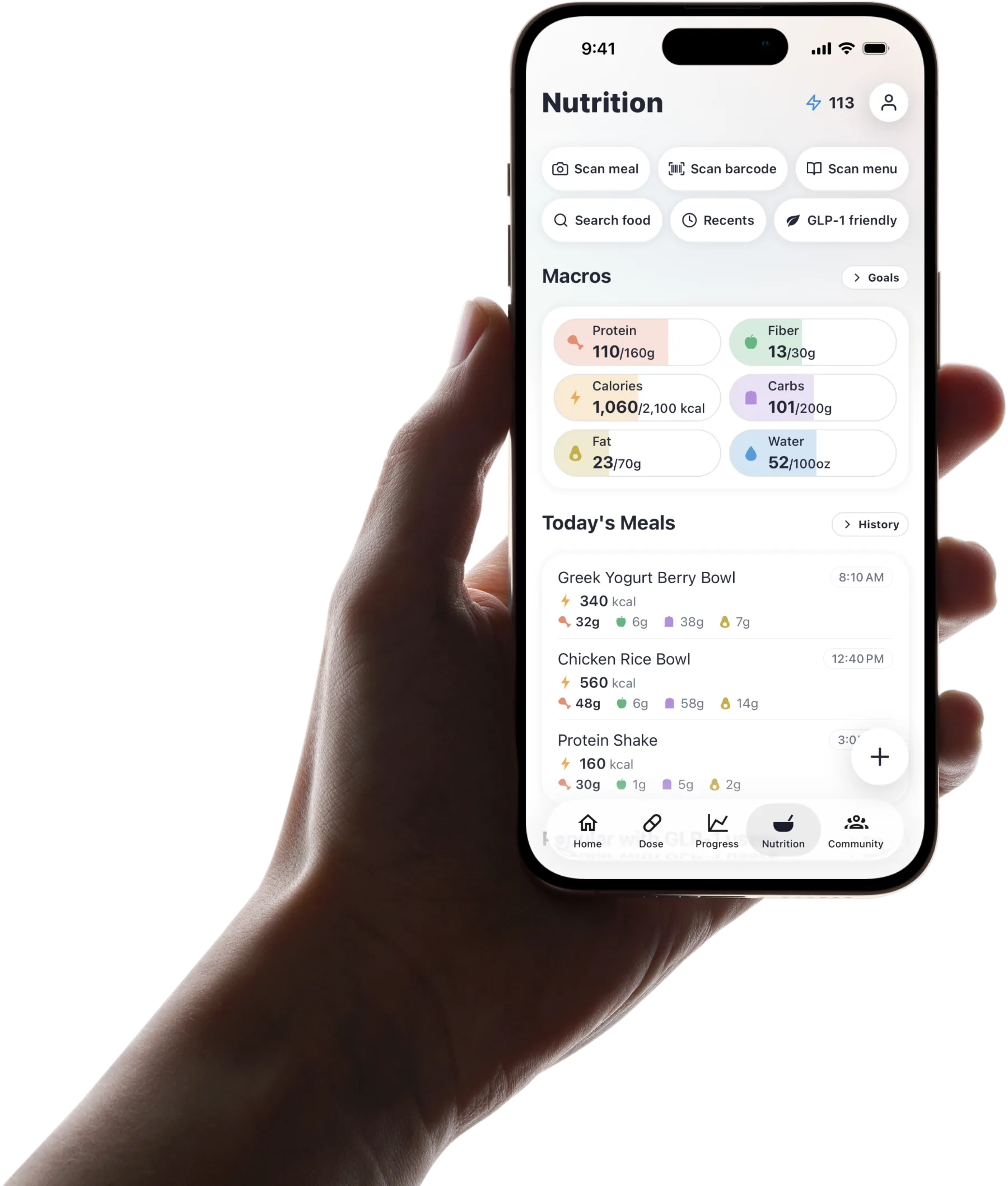
Published by Pep AI · Wegovy® pill tracker · Updated November 2026
Pep AI reminds you each morning, logs each Wegovy® tablet with the time you took it, and keeps every step-up in your dose history, in the same app as your meals, side effects and weight. It never suggests a dose.
Add Wegovy® as your medication, set a daily schedule and enter the tablet dose your prescriber set. Pep AI works on iPhone and Android and is free to try: a free download with a 3-day free trial, then a subscription for tracking.
Pep AI is a tracking app, not a medical device, and is not affiliated with or endorsed by Novo Nordisk.
The Daily Tablet Routine, Per the FDA Label
The tablet comes with morning rules the weekly injection does not. Here they are in plain words, from the Wegovy® prescribing information (revised June 2026).
Once a Day, on an Empty Stomach
The Wegovy® label says to take one tablet once a day, on an empty stomach in the morning. It is swallowed whole with water, up to 4 ounces, and not with other drinks.
That is a lot to get right before coffee. Pep AI helps by making the morning tablet the first thing on your list.
Then Wait at Least 30 Minutes
After the tablet, the label says to wait at least 30 minutes before eating, drinking or taking other medicines by mouth. Planning breakfast around that window becomes part of the routine.
Pep AI saves the time you logged the tablet, so a glance tells you when the wait started.
Never More Than One a Day
The label says not to take more than one tablet a day and not to split, crush or chew it. A clear log of each morning helps avoid a double dose by mistake.
Once you log today's tablet, it shows as done. There is no second-guessing whether you already took it.
The Boxed Warning on the Label
The Wegovy® label carries a boxed warning about the risk of thyroid C-cell tumors. In rodents, semaglutide caused these tumors; it is not known whether it causes them in people.
The label says not to use Wegovy® if you or a family member has had medullary thyroid carcinoma (MTC), or if you have Multiple Endocrine Neoplasia syndrome type 2 (MEN 2). Tell your prescriber about a lump or swelling in your neck, trouble swallowing, hoarseness or shortness of breath.
Your Label and Prescriber Come First
These are general label instructions, and your prescriber may add more for you. Read the full label that comes with your tablets.
On the weekly injection instead? The Wegovy® tracker page covers that routine.
Questions about timing, a late tablet or anything that feels off go to your prescriber or pharmacist. Pep AI keeps the record and leaves the advice to them.
How the Tablet Steps Up Over 90 Days
This is the label's schedule, quoted for reference. It is not a plan for you and not dosing advice; your own plan may differ, so follow your label and your prescriber. Pep AI never suggests a dose.
| Days | Daily dose on the label | Step |
|---|---|---|
| 1 to 30 | 1.5 mg once daily | Starting dose |
| 31 to 60 | 4 mg once daily | Step 2 |
| 61 to 90 | 9 mg once daily | Step 3 |
| 91 onward | 25 mg once daily | Maintenance |
Days 1 to 30: 1.5 mg
The label starts the tablet at 1.5 mg once a day for the first 30 days. Starting low and stepping up is meant to reduce the risk of stomach side effects.
Pep AI logs each day of that first month with the dose and time, and your start date stays at the top of your history.
Days 31 to 90: 4 mg, Then 9 mg
The label moves to 4 mg once a day for days 31 to 60, then 9 mg for days 61 to 90. If a step is hard to tolerate, the label says a prescriber may consider waiting longer before the next one.
Pep AI follows the schedule you are actually on, not a template. Enter each new dose when your prescriber gives it.
Day 91 Onward: 25 mg Maintenance
From day 91, the label lists 25 mg once a day as the maintenance dose. Tablets come in 1.5 mg, 4 mg, 9 mg and 25 mg strengths.
Your dose history keeps the date each new strength started, so months later the sequence is still easy to read.
Steps Stay With Your Prescriber
The table is what the label recommends, and your own plan may differ. Pep AI never suggests a dose, a step or a change.
Any question about moving up, holding a dose or a late tablet goes to your label and your prescriber. Pep AI gives you the dates to bring to that conversation.
What Pep AI Keeps Track of Each Morning
A Morning Reminder at Your Time
Pick the time you usually take your tablet and Pep AI reminds you every morning. On iPhone (iOS 17 or later), a Lock Screen Live Activity counts down to it and has a Log button. On Android, the reminder opens the app so you can log.
Each medication keeps its own reminder time, so a daily tablet and anything else on your list stay separate.
Widgets and Apple Watch, on iPhone
On iPhone, the large Next Dose widget shows what is due and can mark it done, and the Apple Watch app can log it from your wrist.
That helps on mornings when your phone is in another room. Widgets and the Watch app are iPhone only.
A Count of Tablets on Hand
Enter what you have on hand and Pep AI counts it down as you log each day, with an estimate of days left.
Seeing the count next to today's dose makes refills easier to plan. Pep AI does no dose math.
A Dose History You Can Read Back
Every tablet you log keeps its dose, date and time, so the weeks on each strength are easy to count.
A morning you did not log shows as overdue once its time passes. What to do about a late tablet is a question for your label and your prescriber.
Side Effects as Each Step Begins
What the Label Lists as Common
The Wegovy® label lists nausea, diarrhea, vomiting, constipation and abdominal pain among the most common side effects.
Pep AI has a built-in list of GLP-1 symptoms, plus your own, so anything not on the list can be added. Each entry records the day and how strong it felt.
Patterns Around Each New Strength
Because your step-ups and symptoms are logged in the same app, you can check whether a rough week started with a new strength. That is a useful pattern to raise with your prescriber.
Energy, mood and sleep check-ins round out the picture and turn a vague feeling into dates.
Food and Symptoms Together
Meals logged after the morning wait sit in the same app as any symptoms later in the day, so you can see what you ate before a rough afternoon.
Over a few weeks, the foods that sit well become clearer.
When You Want More Detail
For a plain-English rundown of GLP-1 side effects, sourced to the labels, read the GLP-1 side effects guide. The side effect tracker page shows how logging works.
Severe or lasting symptoms need medical attention right away. Pep AI is a tracking tool, not a medical device.
Breakfast After the Wait, Protein First
Log the First Meal in Seconds
When the wait is over, snap a photo, scan a barcode or search. Pep AI estimates protein, fiber, carbs, fat and calories, and scanned meals get a GLP-1 score from 0 to 100.
Small breakfasts take a few seconds to log, and protein stays at the top of the day's view.
Protein, Fiber and Water Goals
Setup builds personalized daily targets you can change, and Pep AI shows how close you are after each meal. Water sits beside protein and fiber so hydration does not slip.
Eating less makes every bite count. The free GLP-1 protein calculator gives a starting range to talk over with your prescriber or dietitian.
Ideas When Nothing Sounds Good
Pep AI lists GLP-1 friendly picks, from higher-protein shakes and bars to snacks and restaurant options. Any pick can go straight into your log.
All nutrition numbers are estimates, not dietary advice.
Progress You Can Show Your Prescriber
Weight as a Trend Across Weeks
Daily weigh-ins move around, so Pep AI shows your weight as a trend chart.
Weight and steps can sync from Apple Health on iPhone or Health Connect on Android, so fewer numbers need typing by hand.
Photos Next to the Numbers
Progress photos sit next to your weight history inside the app, with the rest of your record.
Achievements mark steady logging along the way. Pep AI rewards consistency, not a number on one morning.
One PDF for Your Appointment
Pep AI turns your tablet history, weight and daily meal totals into a PDF report. Email it ahead or open it in the room.
Your prescriber decides what changes, if anything. Pep AI keeps the facts organized for that conversation.
Trusted by People Who Track Every Day
4.7 Stars on the App Store
Pep AI is rated 4.7 from 4,000+ ratings on the App Store, and it has passed 200,000+ downloads across iPhone and Android.
Those ratings come from people logging real doses, day after day.
No More Notes and Calendar Alerts
“Since I’ve been using this app, I don’t have to write anything down in a calendar or reminder in a phone.” That is how one Pep AI user put it.
The morning tablet, meals and symptoms live in one record. Pep AI replaces the patchwork.
Clear About What It Is
Pep AI is a tracking and organization tool, not a medical device. It does not diagnose, treat or suggest doses.
Pep AI is not affiliated with or endorsed by Novo Nordisk. Wegovy® is a trademark of its owner.
Sources
Built for a daily tablet
A morning routine with rules is easier to keep when the record keeps itself.
Morning reminder
Set the time you take your tablet. On iPhone (iOS 17+), a Lock Screen Live Activity has a Log button.
Tablet log
Each tablet saved with its dose, date and time, so you know today's is done and when the 30-minute wait started.
Step-up history
Enter each step your prescriber sets; your dose history keeps the date every new strength began.
Supply count
What you have on hand counts down as you log, with an estimate of days left.
Side effects
Built-in GLP-1 symptoms, plus your own, each with the day and a severity.
Food and protein
Photo, barcode, menu scan or search after the wait, with protein and fiber up front and a GLP-1 score on scans.
Frequently asked questions
Is Pep AI Free to Try?+
Yes. Pep AI is a free download with a 3-day free trial, so you can set up your medication and log a few days before deciding. After the trial, tracking needs a paid subscription. Cancel at least 24 hours before the trial ends and you are not charged; the App Store or Google Play shows the exact date.
Is the Wegovy® Tablet the Same Medicine as the Injection?+
Yes, both are semaglutide, and one FDA label covers the weekly injection and the daily tablet. The doses and schedules are different, and Pep AI never converts between them. Any change of form is a decision for your prescriber. The weekly routine is covered on the Wegovy® tracker page.
What Should I Log Each Morning?+
Log the tablet when you take it, so the time is saved. After the label's 30-minute wait, log your first meal with protein first. Add any side effects as they come, and a quick energy and mood check-in when you have a moment.
Does the Wegovy® Pill Tracker Tell Me What Dose to Take?+
No. Pep AI records the dose your prescriber set and shows your history, but it never suggests a dose, a step-up or a change. Questions about a late tablet, side effects or moving up belong with your label and your prescriber.
Can I Track Another Medication Alongside the Tablet?+
Yes. Each medication in Pep AI gets its own schedule, reminder and history, so a daily tablet and anything else you take stay separate. The label notes the tablet can affect how other medicines taken by mouth are absorbed, so ask your prescriber or pharmacist about timing.
Does Pep AI Work on Android?+
Yes. Pep AI is on the App Store and Google Play with the same reminders, logs and reports on both. On iPhone, weight and steps sync with Apple Health; on Android, Pep AI connects with Health Connect. The Apple Watch app and widgets are iPhone only.
Can I Share My Log With My Prescriber?+
Yes. Pep AI creates a PDF report of your doses, weight and daily meal totals. Email it before the appointment or show it on your phone. Your prescriber makes every decision about your treatment.
Start tracking smarter today.
Free to try on iPhone and Android.