
Ozempic® App & Tracker
Shot day, injection sites, and the week around them.


Published by Pep AI · GLP-1 tracker · Updated November 2026
Ozempic® is semaglutide, whose week-long half-life is what makes weekly dosing work — and also why levels keep climbing for over a month after starting before settling. Early weeks and later weeks are genuinely not comparable, which is worth knowing before drawing conclusions from the first fortnight.
Pep AI records the shot with its site, tracks titration changes with dates, and keeps weight, food and symptoms dated in the same app, so the picture is the whole period rather than a single reading.
Site rotation matters more here than the low injection count suggests: fifty-plus shots a year into three regions is how absorption becomes unpredictable over the long term.
How Ozempic® Steps Up, Per the FDA Label
These are the label's own steps, quoted so you can see where they come from. They are not a plan for you: follow your label and your prescriber. Pep AI never suggests a dose.
| Label step | What the Ozempic® label says |
|---|---|
| Weeks 1 to 4 | 0.25 mg once a week |
| Then | 0.5 mg once a week |
| If more blood sugar control is needed | 1 mg once a week, after at least 4 weeks at 0.5 mg |
| If still more is needed | 2 mg once a week, after at least 4 weeks at 1 mg (the highest dose listed) |
Four Weeks at the Starting Dose
The Ozempic® FDA label (revised May 2026) starts at 0.25 mg once a week for 4 weeks, then moves to 0.5 mg once a week. Pep AI logs each of those weeks with the date and the dose you took.
The label steps the dose up gradually to reduce the risk of stomach (gastrointestinal) side effects. Pep AI keeps that first month on the record so it never gets mixed up with later weeks.
Later Steps Are Your Prescriber's Call
After at least 4 weeks at 0.5 mg, the label allows a move to 1 mg if more blood sugar control is needed, and later to 2 mg, the highest dose it lists. Each of those steps comes after at least 4 weeks at the dose before it.
Whether and when you move up depends on your label and your prescriber. Pep AI records the dose you were given and never suggests a change.
Every Step-Up Saved With Its Date
Pep AI stores each new dose with the day it started, so your titration history reads like a clean list. When someone asks when the 1 mg dose began, the answer is a few taps away.
Side effects and weight are dated in the same app, which makes it easier to talk through how each step felt at your next visit.
Set Up Your Weekly Shot in Three Steps
Add Ozempic® and Your Current Dose
Pick Ozempic® from the medication list and enter the dose and shot day your prescriber gave you. Pep AI builds the weekly schedule from that and does not suggest a dose.
Already a few months in? Add your current dose and start date, and the history begins from there.
Pick a Reminder That Fits Your Week
The label says Ozempic® is taken once a week, at any time of day, with or without meals. Pep AI lets you choose the day and reminder time that suits your routine.
On iPhone (iOS 17 or later), a Live Activity on your Lock Screen counts down to the next dose and has a Log button that records it in one tap. On Android, the reminder opens the app to log.
Tap the Spot on the Body Map
The label lists the abdomen, thigh and upper arm, and says to use a different site each week when injecting in the same body region. Pep AI shows where your last few shots went, and warns you if you pick the same spot again.
Over a year of weekly shots, that record keeps rotation consistent. It also makes it simple to mention a sore spot at your appointment.
Side Effects Lined Up With Each Step
Log What the Label Lists as Most Common
The Ozempic® label lists nausea, vomiting, diarrhea, abdominal pain and constipation as the most common side effects. Pep AI has built-in GLP-1 symptoms plus your own, each logged by day with a severity. Nausea, vomiting, diarrhea, stomach pain and constipation are all built in.
Logging takes a few taps, even on a rough day.
See Whether a Rough Week Follows a Step-Up
Because each step-up and each symptom is dated, you can see whether queasy days started after a new dose. That pattern is worth raising with your prescriber.
Energy, mood and sleep check-ins fill in the rest of the week. Pep AI turns a hunch into dates you can point to.
Read the Full Side Effects Guide
For a plain-English guide to each side effect and how long it tends to last, read the GLP-1 side effects guide before your next step-up. It is sourced to the FDA labels.
Anything severe or lasting belongs with your prescriber right away. Pep AI is a tracking tool, not a medical device.
Bring a Clear Record to Every Visit
One PDF With Doses, Sites and Weight
Pep AI turns your doses, injection sites, weight and daily meal totals into a PDF report you can email ahead or open on your phone at the visit.
Nothing has to be retyped from a notebook.
Answers to the Questions Clinicians Ask
When did the last step-up start, and how did the weeks after it go? The report lists each dose with its date, plus your weight and daily meal totals, so the conversation starts from facts.
Your clinician decides what changes, if anything. Pep AI organizes the record and never makes the call.
In the Words of One Pep AI User
“Awesome you can export a report of all that data.” That is how one Pep AI user put it in an App Store review.
The export is built into Pep AI, ready whenever an appointment comes up.
Know When Your Next Pen Is Due
A Running Count From What You Enter
Enter what you have on hand and Pep AI counts it down as you log each shot, with an estimate of days left. The numbers come only from what you enter.
A Heads-Up Before You Run Out
Seeing what is left makes ordering a refill part of the routine instead of a scramble.
It works the same for every medication you add. Each one keeps its own supply count.
Skips Stay on the Record
If your prescriber pauses a week, mark it as skipped so the history stays accurate.
Questions about a late or skipped shot go to your label and your prescriber. Pep AI records what happened and leaves the advice to them.
Sources
The first month is not the same as the fourth
Semaglutide takes over a month to plateau. A record is what makes that visible.
Level projection
Estimated levels modelled from your logged shots and the published half-life — the shape of the climb to plateau, not a blood measurement.
Shot reminders
Weekly, daily or your own schedule. A reminder on shot day, a couple of taps in the app to log it, and your history builds itself.
Injection site map
Log where each shot went on a body map across abdomen, thighs and arms, so the last site is never a guess.
Estimated medication level
See your estimated GLP-1 level rise and fall between shots, modelled from the injections you log and published half-lives. A model, not a blood test.
Protein & fiber
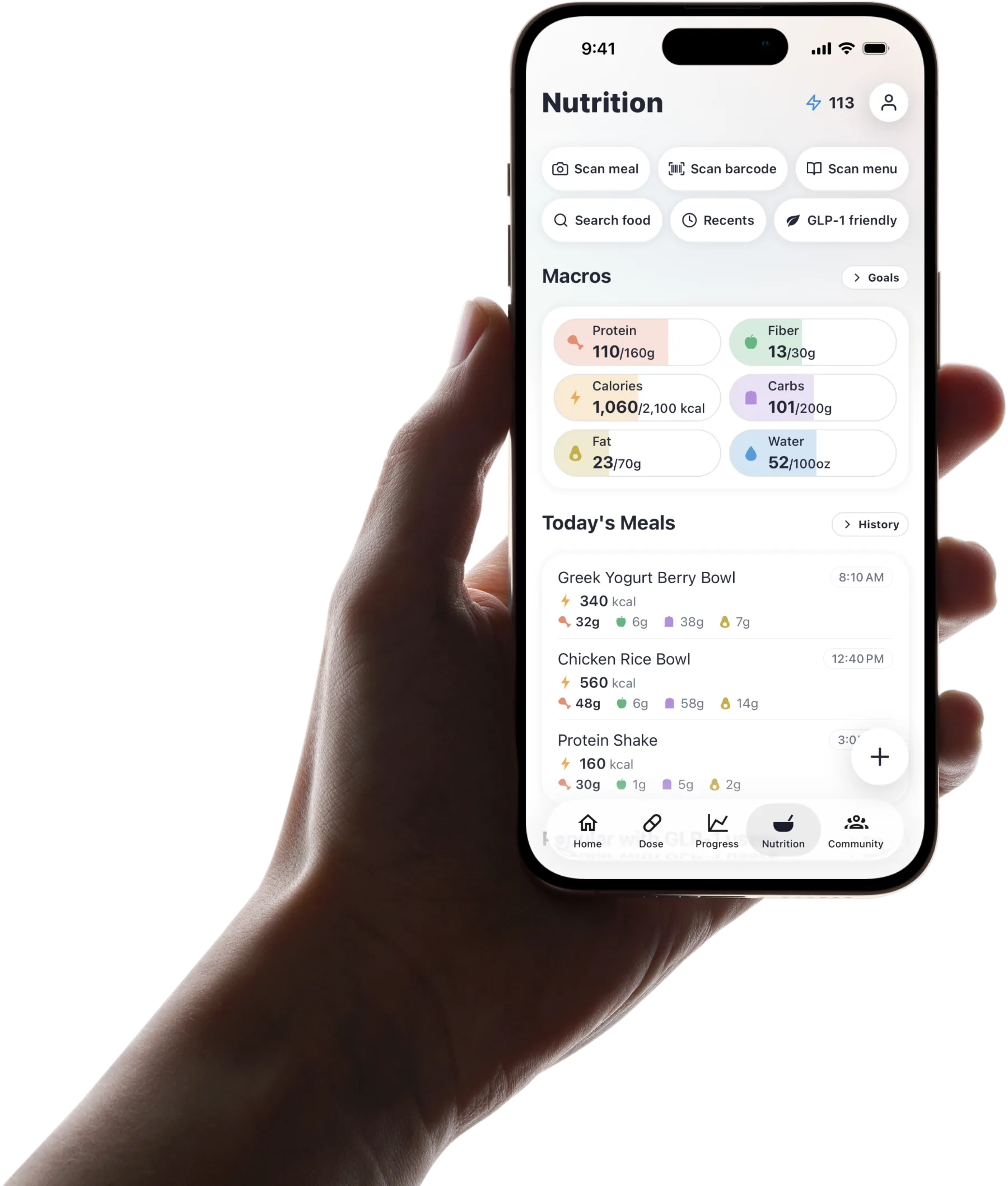
Log meals by photo, barcode or search with protein and fiber up front, the two that slip first when appetite drops.
Side effects & progress
Rate symptoms by severity and keep weight and progress photos in the same app as your shots.
Frequently asked questions
Is Ozempic® the same as Wegovy®?+
Both are semaglutide with the same half-life and the same pharmacokinetics. They differ in labelled indication and dose range, not in the molecule.
Why do levels keep rising after I start?+
Because semaglutide's half-life is about a week, so each dose lands on residue from previous ones. Levels climb for roughly five half-lives — over a month — before plateauing. That is why early weeks and later weeks are not directly comparable.
Is Pep AI free to try?+
Pep AI is free to try: a free download and a 3-day free trial. After the trial, tracking needs a paid subscription, which you can cancel from your App Store or Google Play account.
Does this Ozempic® app work on Android?+
Yes. Pep AI is on the App Store and Google Play, with the same shot log, reminders and PDF report on both. On iPhone, weight and steps can sync with Apple Health. On Android, Pep AI connects with Health Connect.
Can I track Ozempic® alongside another medication?+
Yes. Each medication in Pep AI gets its own schedule, reminder time and history, so a weekly shot and a daily pill stay separate. Pep AI never suggests combining, switching or changing medications. Those decisions stay with your prescriber.
Does Pep AI give medical advice?+
No. Pep AI is a tracking and organization tool, not a medical device. It does not recommend medications, doses or schedules, and Pep Bot declines dosing questions. What to take stays between you and your prescriber.
Start tracking smarter today.
Free to try on iPhone and Android.