
The Foundayo™ Tracker for Your Daily GLP-1 Pill
A daily reminder, a log of each pill, and every step-up in your dose history, with meals and side effects in the same app.


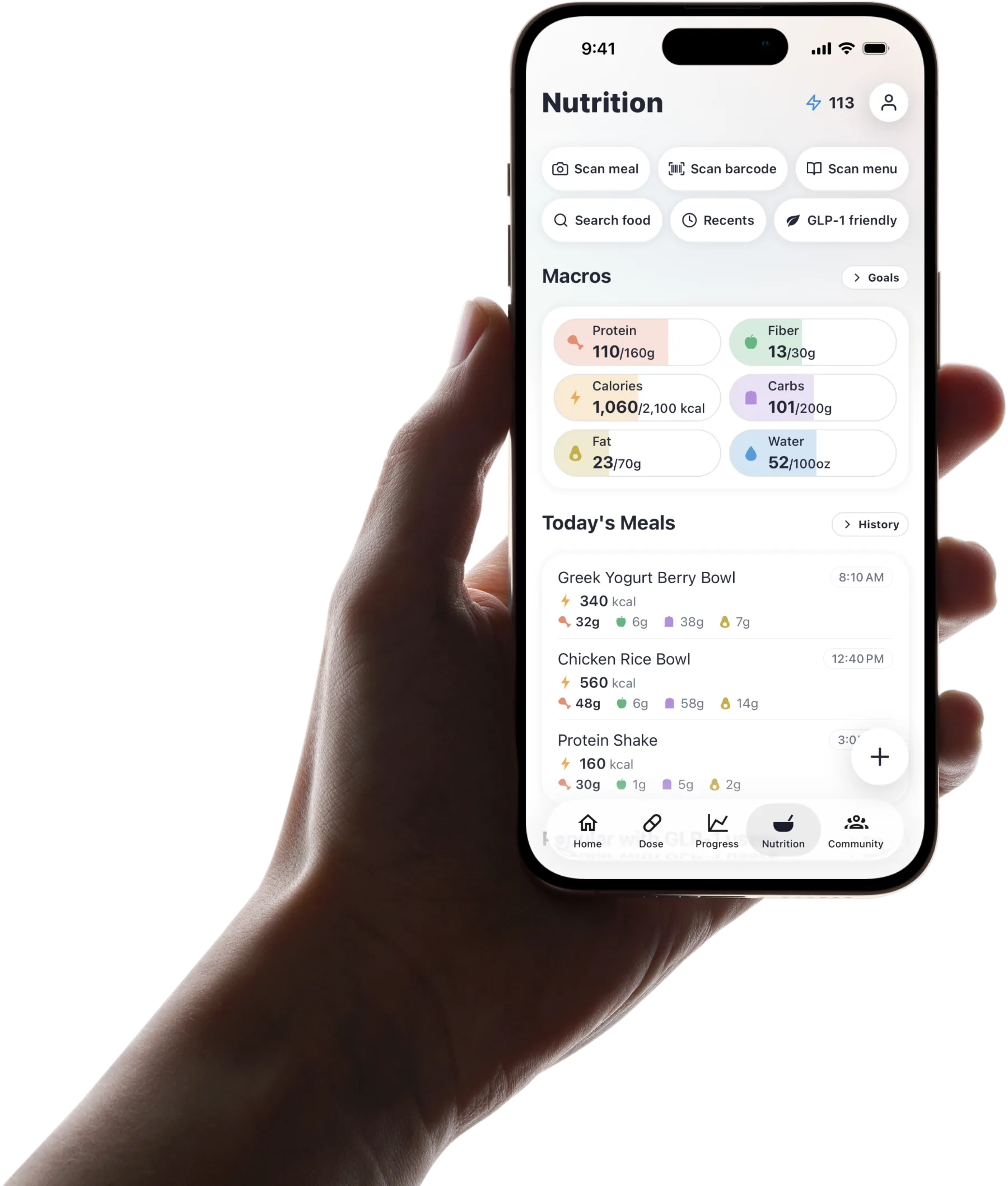
Published by Pep AI · Foundayo™ tracker · Updated November 2026
Pep AI reminds you each day, logs each Foundayo™ pill, and keeps every step-up in your dose history, in the same app as your meals, side effects and weight. It never suggests a dose.
Foundayo™ is in Pep AI's medication list, with its label strengths to pick from. Download Pep AI for iPhone or Android and start with a 3-day free trial; after the trial, tracking needs a subscription.
Pep AI is a tracking app, not a medical device, and is not affiliated with or endorsed by Eli Lilly.
How Foundayo™ Fits Into Your Day
Foundayo™ is new, and most people have not read its label yet. Here is the daily routine in plain words, from the Foundayo™ prescribing information (revised July 2026).
A Daily Pill From Lilly
Foundayo™ is orforglipron, a once-daily GLP-1 pill from Eli Lilly that the FDA approved in April 2026. Its label covers weight reduction and keeping weight off long term in adults with obesity, or with overweight and a weight-related condition.
The label pairs it with a reduced-calorie diet and more physical activity. Pep AI helps you track the medicine and the habits around it.
With or Without Food
The label says to take Foundayo™ once a day, with or without food. There is no empty-stomach window to plan around.
That makes it easier to fit into any routine. Pep AI lets you set the reminder for whatever time of day works for you.
One Whole Pill, Once a Day
The label says to swallow the tablet whole without breaking, crushing or chewing it, and never to take more than one a day. A clear daily log makes a double dose less likely.
Once you log today's pill, it shows as done. There is no wondering whether you already took it.
Notes on Other Medicines
The label says Foundayo™ can affect how other medicines taken by mouth are absorbed, including birth control pills, after starting and after each step-up. It also says using Foundayo™ with another GLP-1 medicine is not recommended. Ask your prescriber or pharmacist what that means for you.
Pep AI logs each medication on its own schedule. It never gives advice about combining them.
The Boxed Warning on the Label
The Foundayo™ label carries a boxed warning about the risk of thyroid C-cell tumors. In rodent studies, medicines that work like Foundayo™ caused these tumors (Foundayo™ itself did not), and whether this applies to people has not been determined.
The label says not to use Foundayo™ if you or a family member has had medullary thyroid carcinoma (MTC), or if you have Multiple Endocrine Neoplasia syndrome type 2 (MEN 2). Tell your prescriber about a lump or swelling in your neck, trouble swallowing, hoarseness or shortness of breath.
Foundayo™ Steps of at Least 30 Days
This is the label's schedule, quoted for reference. It is not a plan for you and not dosing advice; your own plan may differ, so follow your label and your prescriber. Pep AI never suggests a dose.
| Step | Daily dose on the label | When |
|---|---|---|
| Start | 0.8 mg once daily | For at least 30 days |
| Step 2 | 2.5 mg once daily | After at least 30 days on 0.8 mg |
| Step 3 | 5.5 mg once daily | After at least 30 days on 2.5 mg |
| Higher steps | 9 mg, 14.5 mg or 17.2 mg once daily | Each after at least 30 days, based on response and tolerability; 17.2 mg is the highest dose listed |
Start at 0.8 mg
The label starts Foundayo™ at 0.8 mg once a day. After at least 30 days, it moves to 2.5 mg once a day.
According to the label, the gradual start is meant to lower the chance of stomach side effects. Pep AI logs each day of it with the dose.
Then 2.5 mg and 5.5 mg
After at least 30 days on 2.5 mg, the label moves to 5.5 mg once a day. Each step comes only after 30 days or more on the dose before it.
Pep AI saves each new dose with the date it began, so the sequence stays easy to read months later.
Higher Steps Based on Response
The label allows further steps to 9 mg, 14.5 mg or 17.2 mg once a day, each after at least 30 days, based on how the medicine is working and how well it is tolerated. The highest dose it lists is 17.2 mg.
Those choices belong to you and your prescriber, using your label. Pep AI records the dose you are given and never suggests one.
Questions Go to Your Prescriber
The table shows what the label recommends, and your own plan may differ. A late pill, a hard step or a pause are questions for your label and your prescriber.
Pep AI keeps the dates ready for that conversation. It does no dose math of any kind.
Daily Reminders That Keep the Streak Going
A Reminder at the Time You Choose
Pick a time and Pep AI reminds you each day. On iPhone (iOS 17 or later), a Lock Screen Live Activity counts down to it and has a Log button. On Android, the reminder opens the app so you can log.
Other medications keep their own reminder times, so one schedule never gets mixed up with another.
Widgets and Apple Watch, on iPhone
On iPhone, the Pep AI widget shows whether today's Foundayo™ is logged, and the Apple Watch app lets you log it from your wrist.
Busy mornings get one less thing to remember. Widgets and the Watch app are iPhone only.
A Count of Pills on Hand
Enter what you have on hand and each logged dose counts it down, with an estimate of days left.
A low number is your cue to call the pharmacy. Pep AI never does dose math.
A Dose History You Can Read Back
Every pill you log keeps its dose, date and time, so the days on each step are easy to count.
A day you did not log shows as overdue once its time passes. What to do about a late pill is a question for your label and your prescriber.
Side Effects Around Each Step
What the Label Lists Most Often
The Foundayo™ label lists nausea, constipation, diarrhea, vomiting, indigestion and abdominal pain among the most common side effects. Headache, fatigue, burping and hair loss are on that list too.
Pep AI has a built-in list of GLP-1 symptoms, plus your own. Each entry records the day and how strong it felt.
See What Changed After a Step
Because step-ups and symptoms are logged in the same app, a rough week after a new dose is easy to find. That pattern is worth raising with your prescriber.
Energy, mood and sleep check-ins add context and turn a hunch into dates you can point to.
Meals Beside Symptoms
Because Foundayo™ can be taken with or without food, it can help to look at what you ate around a hard afternoon. Meals and symptoms are logged in the same app.
Over a few weeks, the foods that sit well become clearer.
When to Call Instead of Log
Severe or lasting symptoms need your prescriber, not just an entry in an app. The label's warnings include severe stomach pain that does not go away, signs of gallbladder problems and signs of low blood sugar, and it also lists dizziness among reported reactions. The GLP-1 side effects guide covers warning signs in more depth.
Pep AI is a tracking tool, not a medical device. It records what happened and leaves the advice to your care team.
Eat Out Without Guessing
With no food rules around the pill, everyday meals and eating out are where the label's reduced-calorie diet happens.
A GLP-1 Score for Each Pick
Menu picks, meal photo scans and barcode scans each get a GLP-1 score from 0 to 100, built from protein, fiber, fat, carbs and the meal's share of your daily calories. More protein and fiber for the portion score higher.
The score is an estimate for comparing options, not medical or dietary advice.
Everyday Meals in Seconds
At home, log meals by photo, barcode, search or quick log. Pep AI keeps protein, fiber and water at the top of the day.
Nutrition values are estimates.
Progress and Reports for Every Visit
A Trend, Not a Daily Number
Pep AI shows weight as a trend across weeks, so one heavy morning stops feeling like a setback.
Pep AI can pull weight and steps from Apple Health on iPhone or Health Connect on Android, which saves typing in every weigh-in.
Photos and Achievements
Progress photos sit next to your weight history, so changes the scale misses become easier to see.
Achievements mark steady logging along the way. Pep AI celebrates consistency, not a single weigh-in.
A PDF for Your Prescriber
Pep AI builds a PDF of your pill history, weight and daily meal totals. It is ready to send before an appointment.
The report gives your prescriber the facts in one place. Decisions about treatment stay with them.
Trusted by People on GLP-1 Medicines
4.7 Stars From 4,000+ Ratings
Pep AI is rated 4.7 from 4,000+ ratings on the App Store, and it has passed 200,000+ downloads across iPhone and Android.
That trust comes from everyday use, not a launch splash.
Reports People Actually Use
“Awesome you can export a report of all that data.” That is how one Pep AI user summed it up in an App Store review.
Months of daily pills turn into one clean export, which makes appointment prep simple.
Clear About What It Is
Pep AI tracks and organizes. It is not a medical device, and it does not diagnose, treat or recommend doses.
Pep AI is not affiliated with or endorsed by Eli Lilly. Foundayo™ is a trademark of its owner.
Sources
Built for a daily GLP-1 pill
A daily pill that steps up every month or more is hard to keep straight from memory.
Daily reminder
Set any time of day. On iPhone (iOS 17+), a Lock Screen Live Activity has a Log button.
Pill log
Each pill saved with its dose, date and time, so today's pill is never a guess.
Step-up history
Foundayo™'s label strengths are in the app, and each new dose your prescriber sets is saved with the date it began.
Supply count
What you have on hand counts down as you log, with an estimate of days left.
Side effects
Built-in GLP-1 symptoms, plus your own, each with the day and a severity.
Menu scan and GLP-1 score
Scan a menu for 3 to 5 “Best picks” ranked by GLP-1 score, or snap a meal at home.
Frequently asked questions
Is Pep AI Free to Try?+
Yes. Pep AI is a free download with a 3-day free trial, so you can set up your medication and log a few days before deciding. After the trial, tracking needs a paid subscription. Cancel at least 24 hours before the trial ends and you are not charged; the App Store or Google Play shows the exact date.
What Is Foundayo™?+
Foundayo™ is orforglipron, a once-daily GLP-1 pill from Eli Lilly that the FDA approved in April 2026. Its label covers weight reduction and long-term maintenance in adults with obesity, or overweight with a weight-related condition. Your prescriber decides whether it fits you; Pep AI only helps you track it.
Do I Need to Take Foundayo™ on an Empty Stomach?+
No. The FDA label says to take it once a day, with or without food, swallowed whole. Pep AI lets you set the reminder for any time that suits your day. Follow your own label and your prescriber if they give you other instructions.
Will the Foundayo™ Tracker Tell Me When to Step Up?+
No. This page quotes the label schedule for reference, and Pep AI records the dose your prescriber sets, but it never suggests a dose or a step-up. Questions about moving up, a late pill or side effects belong with your label and your prescriber.
Can I Take Foundayo™ With Another GLP-1?+
The label says using Foundayo™ with another GLP-1 medicine is not recommended. Any change to your medicines is a decision for your prescriber. Pep AI never suggests combining or switching medicines; it records each one exactly as prescribed.
Does Pep AI Work on Android?+
Yes. Android users get Pep AI on Google Play, with the same daily reminders, pill log and PDF reports as the iPhone app. Weight and steps come in through Health Connect on Android and Apple Health on iPhone. The Apple Watch app and widgets are iPhone only.
Can I Share My Log With My Prescriber?+
Yes. Pep AI exports a PDF of every pill you logged, your weigh-ins and daily meal totals. Send it ahead or open it in the exam room. Any change to your Foundayo™ plan is your prescriber's call.
Start tracking smarter today.
Free to try on iPhone and Android.